Over time, employees could potentially and unknowingly adopt habits that threaten an organisation's data security. Although most of the time these behaviours are not intentional, they can create serious vulnerabilities for the company. It is essential to recognise workplace habits that put organisations at risk and encourage best practices for keeping data safe.
Educating employees on avoiding risky behaviours is a necessary step for every organisation. Identifying common yet concerning workplace habits is the first step toward reducing risks and fostering a culture of security awareness.
Workplace Habits That Place Businesses at Risk
Leaving the Office Without Clearing Your Desk
Leaving the office without cleaning up your workspace can result in a significant security risk. Make sure you don't leave any sensitive data or documents on the screen of your computer or your desk. By following a clean-desk policy, employees will securely store documents before leaving and ensure they protect all devices, such as laptops and phones.
Taking Work Home or Working in Public Areas
Bringing work home or using public spaces for tasks can pose significant risks. Without proper safeguards, working at home or in public — whether with paper documents or digital ones — could be a potential opening for prying eyes or data theft. It is always better to leave work at the workplace or to use safeguards such as laptop privacy filters when working at home or in public.
Disposing of Documents in Recycle or Office Bins
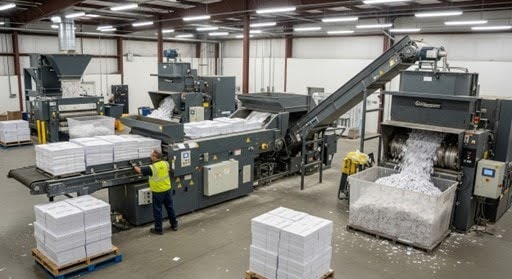
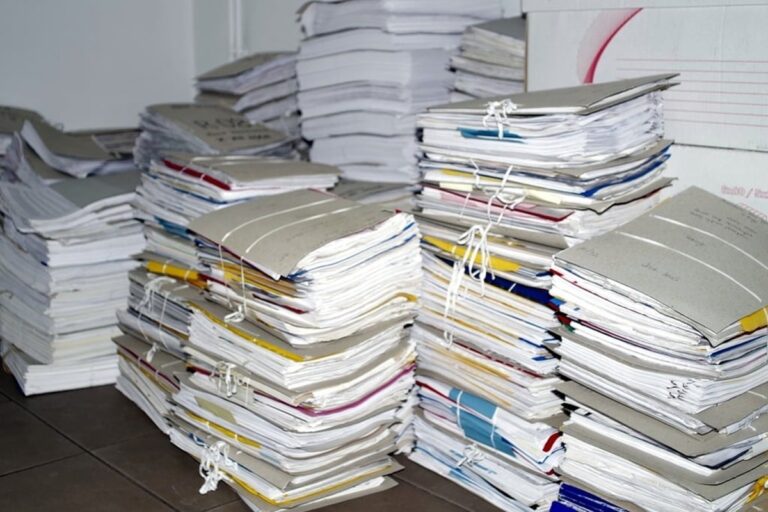
Disposing of used documents in regular trash bins can lead to sensitive information being accessible to anyone in the office, including visitors and cleaning staff. Secure locked bins or containers are more viable for storing documents to be disposed of. Using a shredding device or shredding services is a good practice for destroying documents.
Leaving a Printer Unattended While Printing Secure Documents
Printing documents carelessly can lead to security risks, especially when you leave papers unattended during the printing process or send them to a shared printer outside your office. Implement a system that requires employees to enter a key or code to retrieve their printouts, or have employees guard the printer while they print.
Using Common Passwords
Crafting an intricate password is crucial in safeguarding sensitive information, as many data breaches stem from the use of weak and easily guessable passwords. Create passwords that incorporate a mix of symbols, numbers, and both uppercase and lowercase letters.
Leaving Mobile Devices, Laptops or Computers Unattended
Leaving mobile devices, laptops, or computers unattended while sensitive information is accessible can lead to significant risks, including theft of the device itself or unauthorised access to confidential data. Mobile phones are the most commonly targeted items for theft, even in office areas. Hide mobile devices or use strict passwords to prevent access to devices containing sensitive information.
Removing Documents or Data from the Workplace
Removing documents or data files from the office is a great concern. Careful management of digital and paper data is crucial. Enhancing security and access controls and restricting the use of removable storage devices on-premises will help to minimise the risk of unauthorised data removal.
Ignoring Suspicious Behaviours at Work
Ignoring questionable behaviour or actions can lead to significant potential risks. Malicious insiders or outside sources use various methods to retrieve data from organisations. Security protocols and training are vital to ensure that employees can identify and report any suspicious behaviours.
Good Workplace Habits to Ensure Data Security
Never Leave Your Desk with Sensitive Data Easily Accessible
Your office workspace needs to remain secure, especially when sensitive documentation or data is visible. Always keep your workspace well organised and store vital documents or data in such a manner that it is not visible to prying eyes. Safely file or lock away important documents and ensure you shut down your computer when you leave your desk.
Use Effective Passwords and Do Not Share Sensitive Information
To safeguard sensitive customer data on devices, a strong password containing numbers, symbols, and both lower and uppercase letters is crucial. Even mobile devices with protected data need to be secured with a password or PIN. Employees must refrain from sharing any sensitive documents or data with outside parties unless they are certain the recipients are trustworthy.
Dispose of Documents and Data Appropriately
Simply discarding documents in an office bin — or dumping digital data into the computer's recycle bin — is not secure enough. Keep documents locked or secure in containers or a filing cabinet until they are ready for disposal. A shredding service provider or adequate office shredder is a necessary tool for disposing of documents properly.
Completely wipe old data from devices with no traces in the history or hidden files, as this is a crucial element for data disposal.
Report Suspicious Behaviour or Activities
Employees must have the sensibility and ethics to report any suspicious behaviours in the office immediately, even if they involve a co-worker. Proper training on suspicious activities and procedures is vital for employees to identify these behaviours.
Businesses Should Provide Employees with Proper Training
Any business should provide employees with efficient training on data security and good practices. Employees need education in critical areas of data management regarding data protection, ethical principles, proper document disposal, and the appropriate response to data breaches. By educating employees, management equips all staff members with the knowledge necessary to navigate their roles in the company's security.
Implementing a Data Risk Management Strategy
Implementing a data risk management strategy is crucial to protect your secure documents, software, and data at all times. It gives you a contingency plan for data breaches or security issues. By discovering all the potential risks that could cause data loss, breaches or security issues, you can easily implement plans for prevention and remedy.
Best Practices for Managing Data Risk
Creating a data risk management plan is one of the best solutions to effectively manage data risks. Considering the type of sensitive information your organisation deals with will help identify potential vulnerabilities. A typical data risk assessment will help you discover, classify, and assess all related risks and the potential steps needed to mitigate them.
Final Thought
Protecting your organisational data demands a proactive and continuous strategy. By enhancing employee awareness of potential threats and adopting best practices — such as a clean desk policy, secure document disposal, and careful password management — companies can greatly lower the risk of data breaches.
Cultivating a culture of data awareness and offering ongoing training ensures that employees can identify and react to suspicious activities and understand their critical role in safeguarding the organisation.